
SHORT ANSWER
Buy Microsoft 365 Copilot when the goal is everyday productivity in Word, Outlook, Teams and SharePoint for many employees. It's licensed per user per month. Use Copilot Studio for low-code agents on Microsoft data, billed through Copilot Credits. Build a custom agent when the value depends on your own systems, multi-step workflows, strict accuracy or customer-facing scale. Most enterprises end up using all three.
The build vs. buy decision for enterprise AI is rarely all or nothing. Buy Microsoft 365 Copilot or another off-the-shelf tool when you need general productivity for many people. Configure agents in Copilot Studio when the use case lives mostly in Microsoft data and low-code is enough. Build a custom agent when the value depends on your own systems, processes and data, or when you need full control over quality, cost and user experience. Below you’ll find a side-by-side comparison, Microsoft’s pricing models and a decision matrix.
The options at a glance
| Microsoft 365 Copilot | Copilot Studio agents | Custom AI agents | Other off-the-shelf AI tools |
|---|---|---|---|---|
What it is | AI assistant inside Word, Excel, Outlook, Teams and SharePoint | Low-code platform to build agents on Microsoft and connected data | Agents built in code on models and frameworks you choose | Specialised SaaS, such as AI in CRM, service desk or legal tools |
Best for | Personal productivity across the organisation | Departmental agents and workflows in the Microsoft ecosystem | Core business processes, customer-facing and complex use cases | A single function where the vendor already fits your process |
Time to value | Days to weeks | Weeks | Pilot in 4 to 8 weeks, production 2 to 4 months later | Days to weeks |
Pricing model | Per user per month | Copilot Credits (capacity packs or pay-as-you-go) | Build cost plus model usage, hosting and support | Usually per user or per usage |
Control over logic and models | Low | Medium | High | Low |
Data outside Microsoft 365 | Limited, through connectors | Through connectors and actions | Any system with an API or database | Mostly the vendor’s own data |
How does Microsoft price Copilot?
Microsoft uses two different pricing models. Understand both before you compare costs.
Microsoft 365 Copilot is a per-user, per-month licence on top of an eligible Microsoft 365 plan. Microsoft sells separate Business and Enterprise offers, and the published enterprise list price has been around $30 per user per month on an annual commitment. Cost scales with headcount, whether each person uses it heavily or not.
Copilot Studio is metered in Copilot Credits. You buy prepaid capacity packs or pay as you go through an Azure subscription, and different agent actions use different numbers of credits. People with a Microsoft 365 Copilot licence can use many internal agents in Copilot Chat, Teams and SharePoint without using credits. Agents used by unlicensed or external users are billed by consumption.
Custom agents carry no Microsoft licence fee for the agent itself. You pay for development, model usage (per token, for example through Azure AI services), hosting, monitoring and maintenance.
Licensing terms change often. Check Microsoft’s current price list and your enterprise agreement before you build a business case.
Which option fits which use case?
Criterion | Buy (Microsoft 365 Copilot) | Configure (Copilot Studio) | Build (custom agent) |
|---|---|---|---|
Main users | All knowledge workers | A department or team | A process, a team or external customers |
Data sources | Mainly Microsoft 365 | Microsoft 365 plus connectors | Any, including ERP, databases and legacy systems |
Process complexity | Single-step tasks | Simple to moderate workflows | Multi-step, conditional, long-running workflows |
Accuracy requirements | Best effort, user checks output | Moderate | Strict, with measured thresholds and evaluation |
Customer-facing use | No | Possible, with limits | Yes, with your own user experience and brand |
Model choice | Microsoft-managed | Mostly Microsoft-managed | Any model or several, including open models |
Cost behaviour at scale | Grows with users | Grows with usage | Higher upfront, lower marginal cost once tuned |
Differentiation | None, competitors have the same | Low | High, the agent encodes your know-how |
When is buying the right choice?
The goal is general productivity: drafting, summarising, meeting notes and finding documents.
Your organisation already runs on Microsoft 365, and permissions in SharePoint and Teams are in good order.
You want broad adoption quickly, with little engineering effort.
A specialised SaaS product already covers the process, such as AI features in your CRM or service desk.
If most of your use cases land here, you probably don’t need a development partner yet. Clean up SharePoint permissions and invest in adoption instead.
When is building the right choice?
The agent must read from and act in systems outside Microsoft 365, such as ERP, core banking, case management or production systems.
The process has many steps, rules or approvals, and errors are expensive.
You need measured quality, with a golden dataset and regression tests. See our LLM evaluation guide.
The agent serves customers or partners and must match your product and brand.
The use case is high volume, so per-user licences or per-action metering cost more than running your own solution.
The agent gives you an edge because it encodes knowledge your competitors don’t have.
What a build case looks like in practice
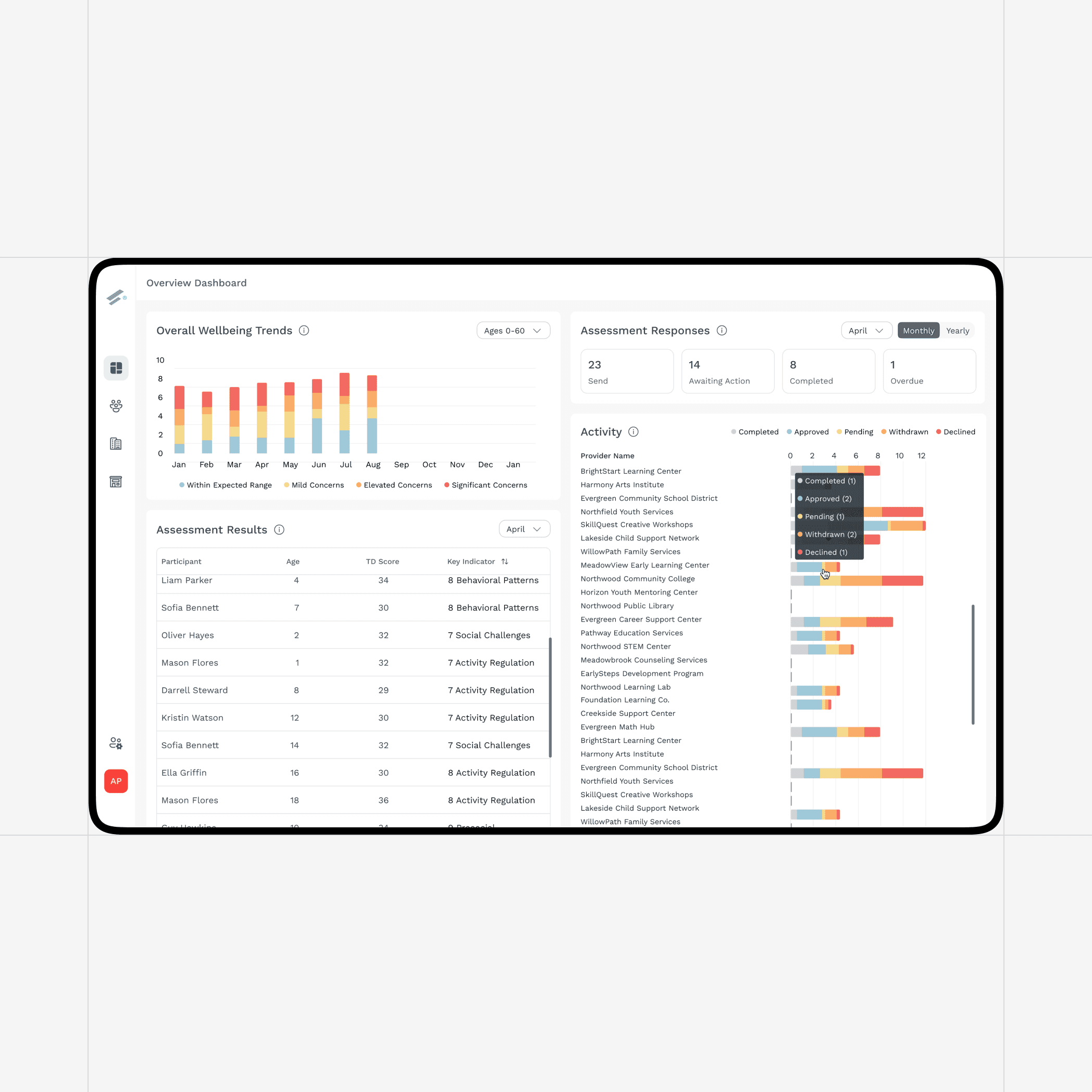
A U.S. human-services nonprofit we worked with managed sensitive case data through spreadsheets and manually triggered questionnaires. No off-the-shelf assistant could fix that. The work depended on third-party systems, role-based access to sensitive records and HIPAA requirements.
We built a serverless platform on Azure that collects form and third-party data automatically, shows staff only the records their role allows, calls external machine learning models through APIs for real-time recommendations and sends reminders without anyone pressing a button. The estimated reduction in manual data entry time was 60 to 80%. That’s the signal for a build: the value sits in your process and your data, not in a better chat window.
Why do most enterprises choose a hybrid?
In practice, the strongest setup often combines all three. Everyone gets Microsoft 365 Copilot for daily work. Business teams build simple agents in Copilot Studio. A few high-value processes get custom agents, which then appear inside Copilot so employees don’t need another interface.
Expose custom capabilities to Copilot through Copilot Studio connectors, API plugins or Model Context Protocol servers.
Keep business logic and evaluation in your own system, so you can change models or channels without rebuilding.
Share one governance model: the same identity, permissions, logging and data classification for bought and built AI.
Review the portfolio yearly. Off-the-shelf tools improve quickly. Something you built may later be covered by a product, or the reverse.
Questions to ask before you decide
Which specific process or task will change, and how will we measure it?
Where does the data live, and who is allowed to see it?
How many users, requests or cases per month do we expect in year one and year three?
What happens if the AI is wrong, and who checks the output?
Does this use case set us apart, or is it the same for every company?
For the effort, team size and timelines of custom work, see how much an AI agent project costs. For the wider picture, read our guide to agentic AI in the enterprise.
How RUBICON helps you decide and deliver
We work with Copilot, Copilot Studio and custom agents, so we can recommend what fits each use case, including when the answer is to buy. RUBICON has about 55 people, 40+ of them engineers, and is a Microsoft Solutions Partner for Cloud & AI Platforms, a Databricks Partner and ISO 27001:2022 and ISO 9001:2015 certified. See our AI agents and consulting and strategy services.
If you’re weighing a build against a licence, our architects can go through your use cases with you.
Frequently asked questions
Is Microsoft 365 Copilot enough, or do we need custom AI agents?
Microsoft 365 Copilot is often enough for personal productivity: drafting, summarising meetings and emails, and finding information in Microsoft 365. You need custom agents or Copilot Studio when the work depends on business systems outside Microsoft 365, multi-step processes, strict accuracy or customer-facing use. Many companies give Copilot to everyone and build custom agents for a few high-value processes.
How is Microsoft 365 Copilot priced?
Microsoft 365 Copilot is licensed per user per month on top of an eligible Microsoft 365 plan, with separate Business and Enterprise offers. Copilot Studio uses Copilot Credits, bought as prepaid capacity packs or billed pay-as-you-go through Azure. Licensed Copilot users can use many internal agents without consuming credits. Check Microsoft's current price list, because licensing changes often.
What is the difference between Copilot Studio and building a custom agent?
Copilot Studio is Microsoft's low-code platform for building agents with connectors, topics and actions, closely tied to Microsoft 365 and the Power Platform. A custom agent is built in code with the frameworks and models you choose. Copilot Studio is faster for Microsoft-centric scenarios. Custom code gives you more control over logic, models, evaluation, hosting and user experience.
Can custom agents work inside Microsoft Copilot?
Yes. You can expose custom agents and business systems to Microsoft 365 Copilot through Copilot Studio, connectors, API plugins or Model Context Protocol servers. Employees then reach specialised agents from the Copilot interface they already use, while the logic, data access and evaluation stay in a system you control.
Related case study
Automating Human Services Case Management with Azure
How we replaced fragmented manual workflows with a serverless, RBAC-secured platform built on Azure
More resources