
SHORT ANSWER
You have four main routes for SAP data into Databricks or Microsoft Fabric: SAP Business Data Cloud with zero-copy Delta Sharing, SAP Datasphere replication flows (which feed Fabric mirroring for SAP), third-party replication tools, and custom extraction through OData or CDS views. Check licensing first, because SAP Note 3255746 bars third-party use of the ODP API over RFC. A first production pipeline typically takes 6 to 16 weeks.
Your finance, supply chain and production data probably lives in SAP, and your analysts want it next to everything else in Databricks or Microsoft Fabric. You have four main ways to get it there. The right one depends less on technology than on your SAP licences, the SAP products you already pay for and how fresh the data needs to be.
Which options do you have?
Option | How it works | Works with | Change data capture | Main cost driver |
|---|---|---|---|---|
SAP Business Data Cloud (BDC Connect) | SAP-managed data products shared zero-copy through Delta Sharing | Databricks (generally available), Fabric (announced) | Handled by SAP | BDC subscription |
SAP Datasphere replication flows | Datasphere extracts from S/4HANA, ECC or BW and writes Delta or Parquet to cloud storage | Fabric mirroring for SAP, Databricks via cloud storage | Yes, initial load plus deltas | Datasphere capacity and premium outbound charges |
Third-party replication tools | A vendor tool extracts from the SAP application or database layer | Both | Usually yes | Tool licence per source or volume |
Custom extraction (OData, CDS views) | Your pipelines call SAP OData services or CDS-based extractors | Both (Fabric Data Factory, Databricks jobs) | Depends on source delta support | Engineering time |
Option 1: SAP Business Data Cloud
SAP Business Data Cloud (BDC) is SAP’s current data platform. It bundles SAP Datasphere, SAP Analytics Cloud and SAP BW, and adds SAP-managed data products: curated datasets with business meaning for areas such as finance or procurement. You get two Databricks routes:
SAP Databricks: a Databricks environment embedded inside BDC. It suits teams whose work is mostly on SAP data.
BDC Connect for Databricks: generally available. It shares SAP data products with your existing Databricks workspace on AWS, Azure or Google Cloud through Delta Sharing, in both directions, without copying data.
SAP and Microsoft announced BDC Connect for Microsoft Fabric in November 2025, with general availability planned for 2026. Check its status before you plan around it. BDC is the route SAP itself recommends, and it sidesteps most licensing questions. The trade-off: you need a BDC subscription, and it pays off only where SAP’s data products already cover your use cases.
Option 2: SAP Datasphere and Fabric mirroring
If you already run SAP Datasphere, its replication flows can extract from S/4HANA, ECC, BW/4HANA and BW and write to cloud storage. Mirroring for SAP in Microsoft Fabric builds on this. The replication flow lands the initial snapshot and changed records in Azure Data Lake Storage Gen2. Fabric then merges them into Delta tables in OneLake and puts a SQL analytics endpoint on top.
Fabric doesn’t charge compute for mirroring itself, but SAP Datasphere premium outbound pricing applies. Databricks can read the same Delta or Parquet output straight from cloud storage.
Option 3: third-party replication tools
Many replication and ETL vendors sell SAP connectors, and a lot of them now write directly to Delta tables, OneLake or Databricks, some through Fabric’s open mirroring partner programme. They’re often quicker to set up and can offer near-real-time change data capture.
Before you buy, ask each vendor exactly which SAP interface the tool uses. That answer decides whether it complies with your SAP contract, which the licensing section below explains.
Option 4: custom extraction through OData and CDS views
Fabric Data Factory and Azure Data Factory ship SAP connectors (SAP HANA, SAP BW, SAP Table, SAP CDC and OData), and Databricks jobs can call SAP OData services directly. CDS views with delta extraction turned on give you clean incremental loads from S/4HANA.
You pay no extra tool licence, but you need more engineering time and help from your SAP Basis team. OData throughput can also slow down very large initial loads, so plan the first full extract carefully.
What do SAP licensing rules allow?
Licensing is the most common reason SAP data projects stall. Check these points with your SAP account team and licence adviser before you pick a tool:
SAP Note 3255746. SAP states that customer and third-party applications may not use the ODP Data Replication API via RFC to extract data from SAP ABAP systems such as S/4HANA, ECC and BW. SAP began shipping patches in mid-2026 that block these calls, with a temporary option to re-enable them that expires at the end of 2026. SAP points customers to Business Data Cloud and ODP via OData instead.
Which connectors it affects. Any tool or connector that uses ODP over RFC, including some SAP CDC connectors, needs a review. Table and CDS view extraction, BAPIs and OData fall outside the note.
HANA runtime licences. If your SAP HANA database runs under a runtime licence, direct database access for replication is usually not permitted. Log-based database CDC tools may need a full-use licence.
Indirect access. Moving SAP data into other systems can raise indirect or digital access questions, depending on your contract.
This guide is general information, not legal advice. Confirm your specific licensing rights with SAP.
What slows these projects down in practice?
When we built a data lake portal on Azure for a global chemical and consumer goods company, much of the value came from the workflow around the data, not the storage. Users search for data assets, request access from the data owner and get an approval, all behind single sign-on with Azure AD.
SAP data raises the same questions, only sharper. Who owns the finance tables? Which SAP report must the lakehouse numbers match? We agree both answers before we write the first pipeline, because a technically perfect extract that finance doesn’t trust gets ignored.
How do you keep SAP data fresh?
SAP offers several change data capture mechanisms. You can use delta-enabled CDS views, SLT trigger-based replication (which Datasphere replication flows can use) or database-log-based capture, which some third-party tools rely on.
For most analytics, a refresh every 15 to 60 minutes is typically enough. Near-real-time replication costs more and puts more load on SAP, so save it for operational cases such as supply chain monitoring.
How long does it take?
These are typical ranges for a first SAP domain. Yours depend on how many SAP systems and custom tables you have and how clean the data is.
Phase | Typical duration |
|---|---|
Licence review, source inventory and architecture decision | 2 to 4 weeks |
Network, security and connector setup | 1 to 3 weeks |
First domain (for example finance or sales) extracted with CDC | 3 to 6 weeks |
Modelling in silver and gold layers and reconciliation with SAP reports | 3 to 8 weeks |
Each additional domain | 2 to 6 weeks |
Most of the time goes into understanding SAP data models and reconciling numbers, not into moving data. Model the result in silver and gold layers so business users can trace every figure back to SAP.
Which route should you choose?
Already on or moving to Business Data Cloud? Use BDC Connect for Databricks, or for Fabric once it’s available.
Already using SAP Datasphere and Fabric? Mirroring for SAP via Datasphere is the simplest path.
Need near-real-time CDC or many SAP systems? Evaluate third-party tools, and check their SAP interface first.
A few well-defined datasets and a strong engineering team? Custom extraction through CDS views and OData can be enough.
Whether the target should be Databricks or Fabric is a separate decision. Our Microsoft Fabric vs. Databricks comparison covers it.
How RUBICON helps with SAP data in Databricks and Fabric
We’re a Databricks Partner and a Microsoft Solutions Partner for Cloud & AI Platforms, with about 55 people and 40+ engineers in the CET time zone. Our data engineering team picks the extraction route with you, builds CDC pipelines and models SAP data into silver and gold tables that finance and supply chain teams trust.
If you’re weighing BDC, Datasphere or a replication tool, our architects can look at your SAP setup and licences with you.
Frequently asked questions
Can I still use ODP to extract SAP data with third-party tools?
Not over RFC. SAP Note 3255746 states that customer and third-party applications may not use the ODP Data Replication API via RFC to extract data from SAP ABAP systems. SAP began shipping patches in mid-2026 that block these calls, with a temporary opt-out that ends in late 2026. ODP via OData, CDS view and table extraction remain options. Check which method your tool uses and confirm with SAP.
What is SAP Business Data Cloud?
SAP Business Data Cloud (BDC) is SAP's data platform. It brings together SAP Datasphere, SAP Analytics Cloud, SAP BW and SAP-managed data products. It includes an embedded SAP Databricks option, and BDC Connect lets you share SAP data products with your own Databricks workspace through Delta Sharing without copying data. SAP and Microsoft have announced a similar connector for Microsoft Fabric.
Does Microsoft Fabric support SAP mirroring?
Yes. Mirroring for SAP in Fabric works through SAP Datasphere. A Datasphere replication flow writes the initial load and every change to Azure Data Lake Storage, and Fabric mirroring keeps merging them into Delta tables in OneLake. Fabric doesn't charge compute for mirroring, but you pay SAP Datasphere premium outbound charges for the data that leaves SAP.
How long does it take to get SAP data into a lakehouse?
A first set of SAP tables or data products in production typically takes 6 to 16 weeks. That covers licence checks, network setup, extraction, change data capture and validation against SAP reports. Most of the time goes into understanding SAP data models and reconciling numbers with finance, not into moving the data itself.
Related case study
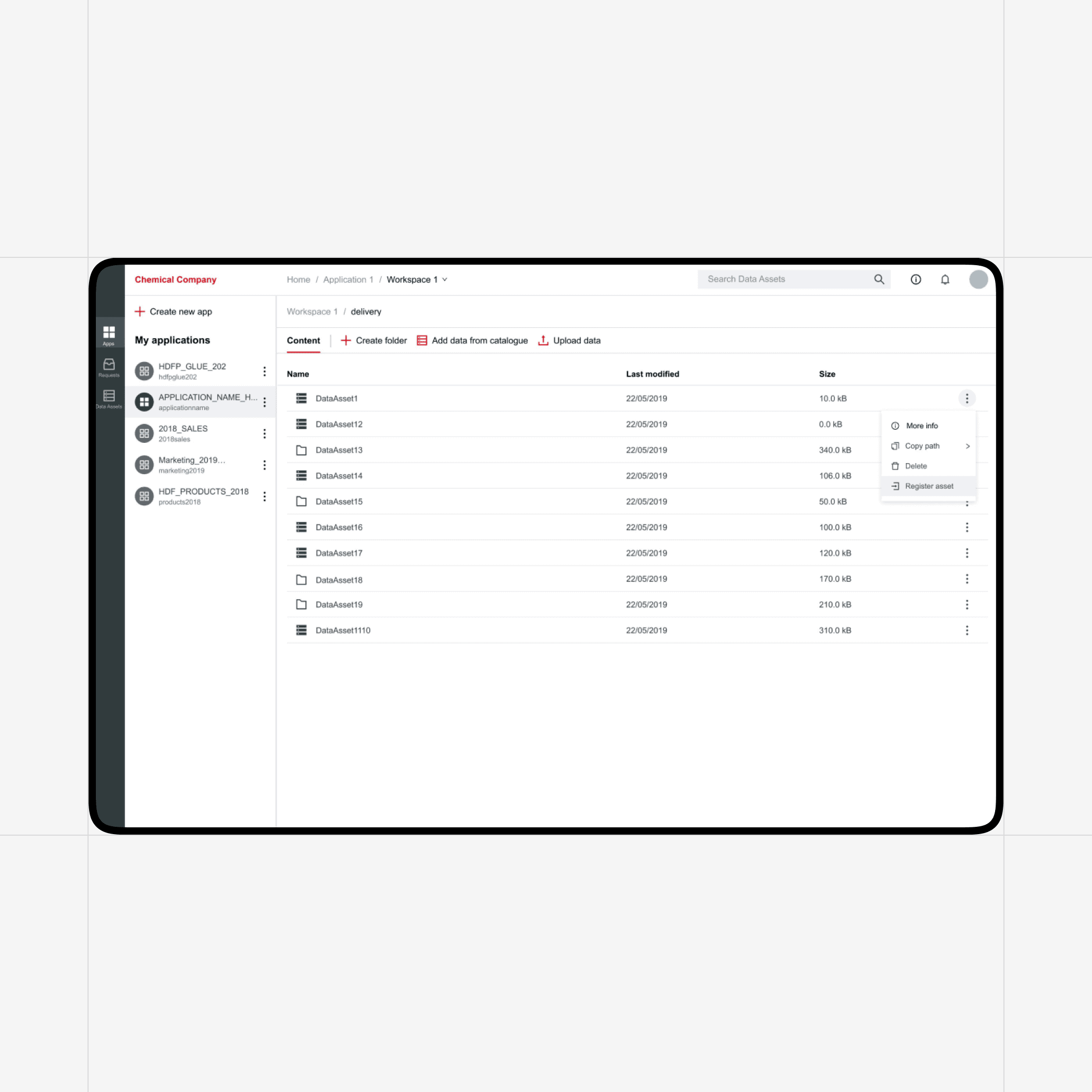
Data Lake Portal for Chemical & Consumer Goods
Digital Transformation: RUBICON Develops a Secure Cloud Native Platform for a Global Chemical & Consumer Goods Company
More resources